MySonicWall Trial Product Activation

Created by Support Admin, Modified on Mon, 15 Sep at 5:13 PM by Support Admin

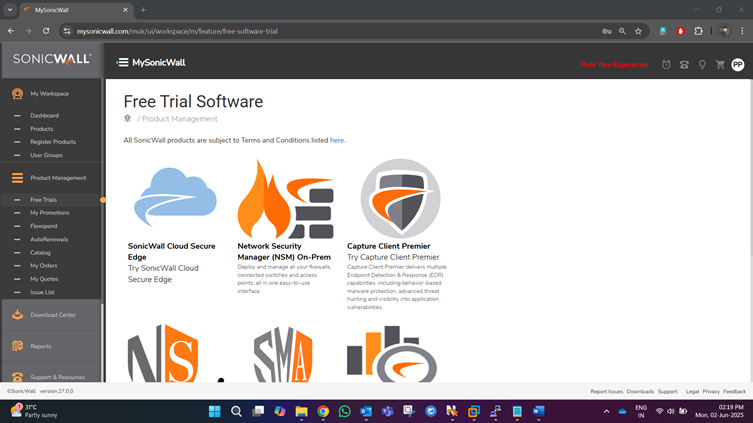
  1. Go to https://www.mysonicwall.com portal and go to Product Management: Free trials

A screenshot of a computer

AI-generated content may be incorrect.


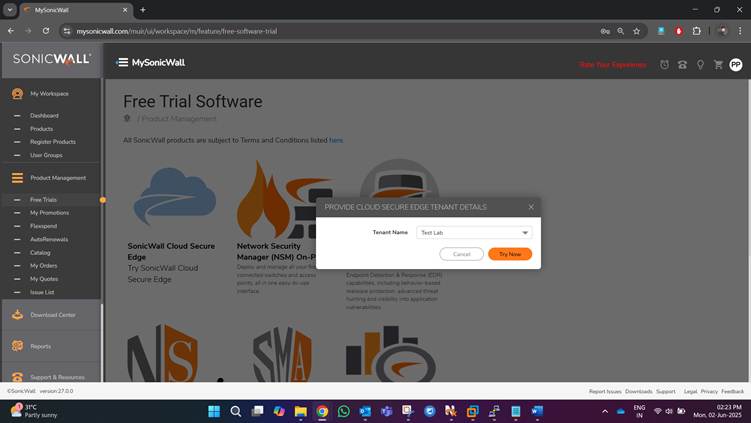
  1. Click on Try now and select an existing tenant
A screenshot of a computer

AI-generated content may be incorrect.


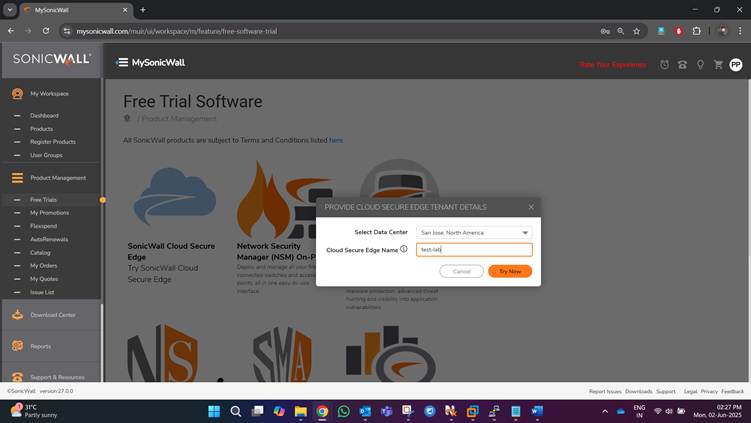
  1. Keep the data centre as North America and enter the relevant name for the CSE instance (please make sure to keep the CSE name in small case, without spaces)
A screenshot of a computer

AI-generated content may be incorrect.


  1. Follow similar steps to activate the trial of Capture Client:
A screenshot of a computer

AI-generated content may be incorrect.


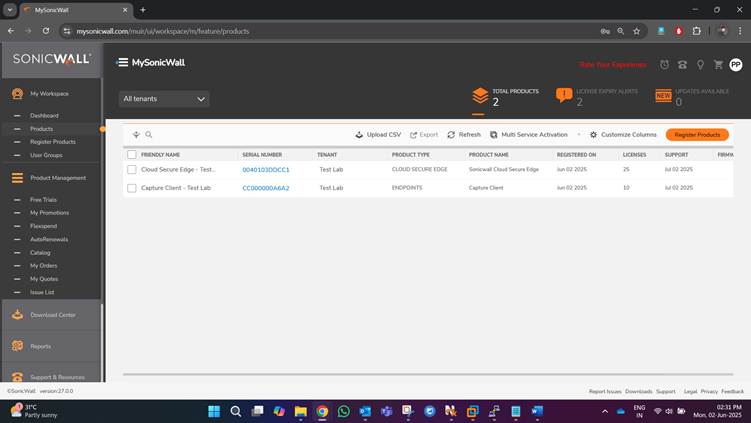
  1. You can find the list of products under My workspace: Products:
                                                                                                                                                               

            Prepared by Pradeep Pirdankar

Was this article helpful?

That’s Great!

Thank you for your feedback

Sorry! We couldn't be helpful

Thank you for your feedback

Let us know how can we improve this article!

Select at least one of the reasons
CAPTCHA verification is required.

Feedback sent

We appreciate your effort and will try to fix the article